SYSGIS map Server
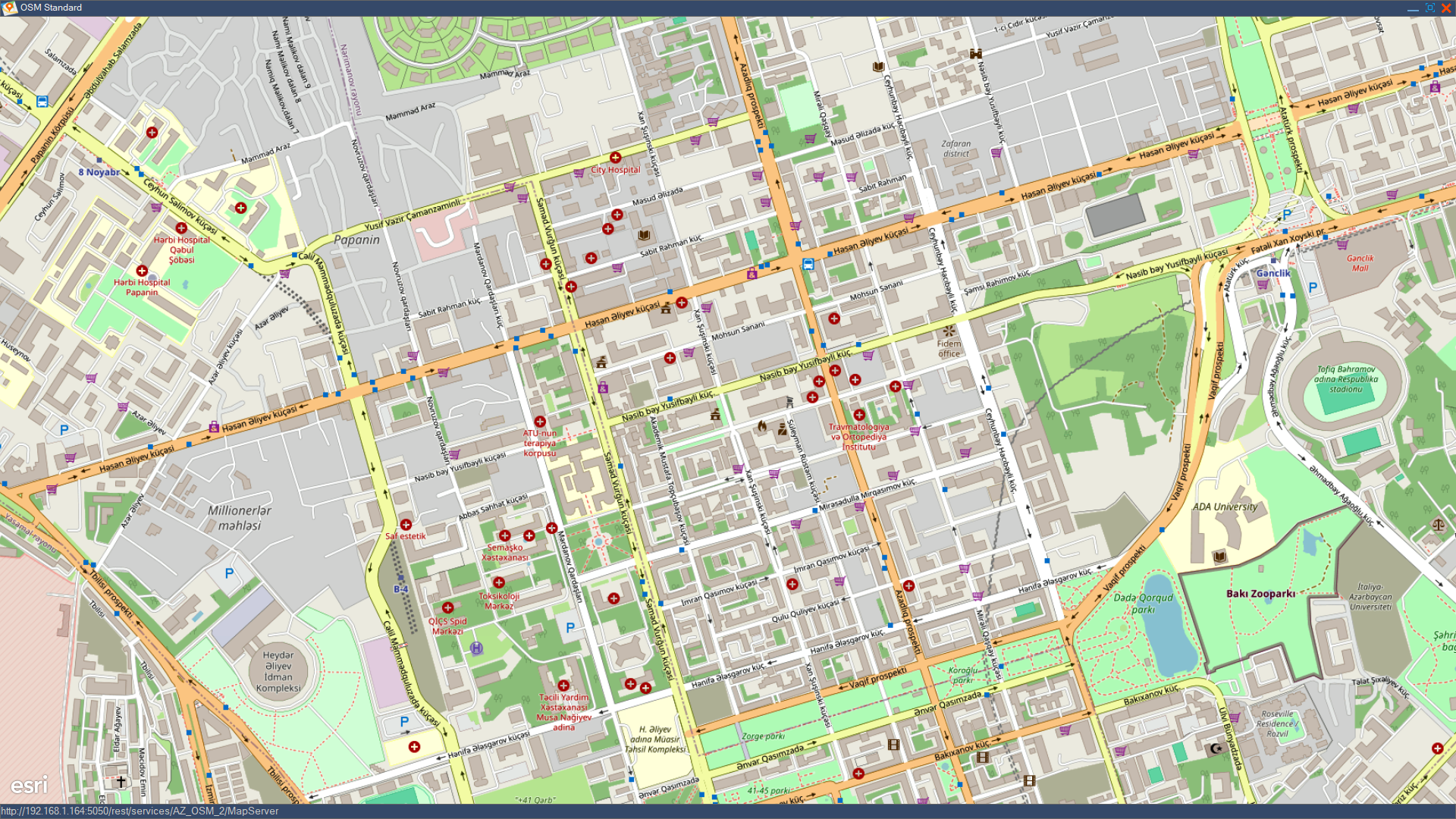
Provides secure mapping without internet access.
Ensure secure and accessible map data for your team, regardless of connectivity, with SYSGIS's robust offline server, which integrates easily with your current systems.
Learn MoreDescription
SYSGIS delivers geographic data and map visualisations over the internet or an intranet. It acts as a central hub, allowing users and applications to access, query, and display spatial information through web browsers or other client software. It handles tasks like rendering maps, serving data in various formats, and processing spatial queries.

- Data Security and Control: You maintain complete control over your sensitive geospatial data, ensuring it resides within your organisation's infrastructure and security protocols.
- Customisation and Flexibility: You have full flexibility to configure the server, software, and data according to your specific needs and workflows, without the limitations of a hosted solution.
- Performance and Speed (Potentially): For users within the local network, accessing data and maps can be faster due to lower latency compared to external servers.
- Independence from Internet Connectivity: Your core GIS mapping capabilities remain functional even without a reliable internet connection.
- Integration with Local Systems: Easier integration with other internal systems, databases, and applications within your local network.
- Cost-Effectiveness (Long-Term): Depending on usage and data volume, a local server can be more cost-effective in the long run compared to recurring subscription fees for cloud-based services.
- Compliance with Regulations: For organisations with strict data sovereignty or regulatory requirements, a local server ensures compliance by keeping data within defined geographical boundaries.
- Support for various map formats: Vector (e.g., GeoJSON, Shapefile, PostGIS), raster (e.g., GeoTIFF, JPEG, PNG), and tile formats (e.g., WMTS, TMS, XYZ).
- Dynamic map rendering: Ability to generate map images on the fly based on user requests, including pan, zoom, and extent changes.
- Styling and Symbology: Support for defining and applying styles to map layers, including colours, line weights, symbols, and labels. This should ideally support standard styling languages (e.g., SLD).
- Labelling: Intelligent label placement and conflict resolution to ensure readable and informative maps.
- Scale-dependent rendering: Ability to show or hide features and adjust styles based on the map scale.
- Support for diverse data sources: Connections to various spatial databases (e.g., PostgreSQL/PostGIS, Oracle Spatial), file-based data (e.g., Shapefiles, GeoJSON), and web services (e.g., WFS, WMS).
- Data abstraction: A mechanism to access data without exposing the underlying data structure directly to the client.
- Data security and access control: Ability to define user roles and permissions to control access to specific data layers and functionalities.
- Web Map Service (WMS): Implementation of the OGC WMS standard to serve rendered map images over the web. Clients can request maps with specific layers, styles, and spatial extents.
- Web Feature Service (WFS): Implementation of the OGC WFS standard to provide access to the actual vector data (features) with their attributes over the web. Supports querying, filtering, and potentially transactional operations (WFS-T).
- Web Coverage Service (WCS): Implementation of the OGC WCS standard to serve raster data (coverages) over the web, allowing for data download and analysis.
- Tile Map Service (TMS) / XYZ Tiles / Web Map Tile Service (WMTS): Support for serving pre-rendered map tiles for faster loading and better performance, especially for base maps.
- Attribute-based querying: Ability to filter and retrieve features based on their attributes (e.g., "show all cities with a population greater than 1 million").
- Spatial querying: Support for spatial operations like identifying features at a specific point, within a bounding box, or intersecting with a polygon.
- Basic spatial analysis (optional but valuable): Depending on the target users, consider including basic analytical functionalities like buffering, distance calculations, or overlay analysis.
- Caching mechanisms: Implement caching at various levels (e.g., tile caching, feature caching) to improve response times and reduce server load.
- Efficient data indexing: Utilise spatial and attribute indexes in the underlying data stores for faster data retrieval.
- Load balancing and scalability: Design the server architecture to handle a large number of concurrent users and requests. Consider options for horizontal scaling.
- Authentication and authorisation: Secure access to the server and its resources through user authentication and role-based authorisation.
- Logging and monitoring: Comprehensive logging of server activity and performance metrics for monitoring and troubleshooting.
- Administrative interface: A user-friendly interface for managing data sources, styles, users, security settings, and server configuration.
Compatible with : DIMETRA X CORE, DIMETRA Express, IP Site Connect, Capacity Plus, Linked Capacity Plus, Connect Plus, Capacity Max, ASTRO M-Core, ASTRO L-Core, ASTRO K-Core, Intelligent Middleware Server.