

Pronto product updates
May 2026
General availability: Enhanced Dispatch Mapping for Android
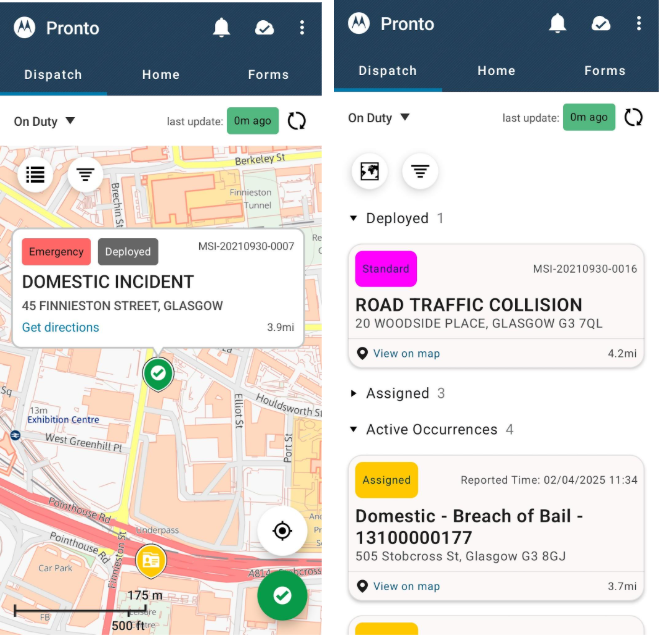
We are pleased to announce general availability for our Dispatch Mapping functionality for Android. This major enhancement is designed to give frontline officers unparalleled situational awareness and the map-first view consolidates all mission-critical systems (including CAD and RMS alongside Pronto Tasks, Briefings and Geofences) into one, easy-to-access place.
Beyond simply tracking current deployments, the Dispatch Map offers a host of features like colour-coded assigned incidents, custom filters, configurable points of interest and the ability to switch to a convenient list view. With intelligent clustering to keep busy maps clean and automatic data refresh, including support for push messages, officers can quickly understand their deployment, access all necessary information, provide timely updates and get their job done faster and more effectively.
Now available: Streamlined address entry with Pronto Address Suggestions
We are rolling out Pronto Address Suggestions, a new feature designed to make location data entry faster, more intuitive and significantly more accurate for officers in the field. By moving away from rigid manual entry and searching, we are helping ensure that downstream police systems receive high-quality, verified data every time.
This update introduced two powerful ways for users to capture location information with minimal friction:
- Natural address search: Users can now type addresses as they naturally would. Pronto provides real-time suggestions powered by the ESRI location service, prioritizing nearby results to ensure common street names (like "Main Street") are relevant to the officer’s current location.
- Choose on map: For cases where a specific address is unknown, officers can simply pan across a map. As the pin moves, Pronto automatically resolves and displays the closest address in real-time, allowing for a seamless "point and click" confirmation.
Precision data for better outcomes
For our customers in Great Britain, this feature is backed by Ordnance Survey AddressBase Premium data. This integration helps ensure that addresses are linked to a Unique Property Reference Number (UPRN).
By capturing the UPRN at the point of entry, Pronto can handle mandatory lookups and RMS linking in the background. This helps eliminate the need for manual gazetteer searches and makes sure that data quality remains high across all integrated platforms.
January 2026
Improvements to operations and data oversight
Our latest updates introduce powerful new ways to streamline your daily workflows while maintaining high security standards.
Manual purge reason: Enhanced auditability
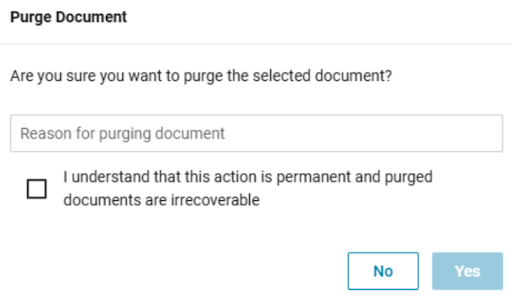
We added a mandatory reason field to the manual purge functionality. Building on the manual purge capability previously released, the confirmation popup now requires you to provide a reason for the action. This update improves auditability for every destructive action in Pronto.
Automatic log purging
You can now set a specific time limit to automatically remove archived logs from the Pronto database, freeing up space. While you can currently recover archived logs by selecting “Include Archived,” once the system purges a log using this feature, it cannot be recovered. Keep in mind that while this duration applies to “General” logs, any logs linked to specific documents are only removed when you delete that document.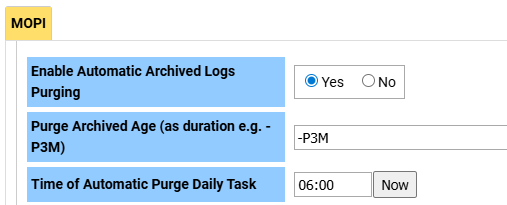
Enhanced audit searching
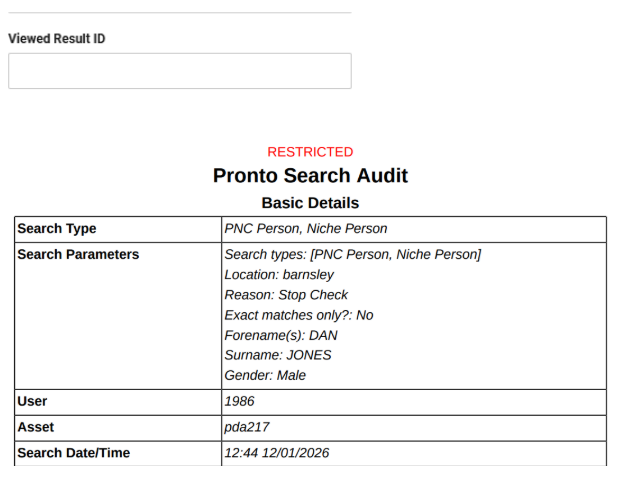
Experience more flexible investigations with improved audit log search capabilities. Simply search Pronto audit logs using a unique ID from a source system, like a Records Management System (RMS) or Police National Computer (PNC). This gives you greater transparency and flexibility when tracking who searched for specific records within the system.
PNC performance optimisation
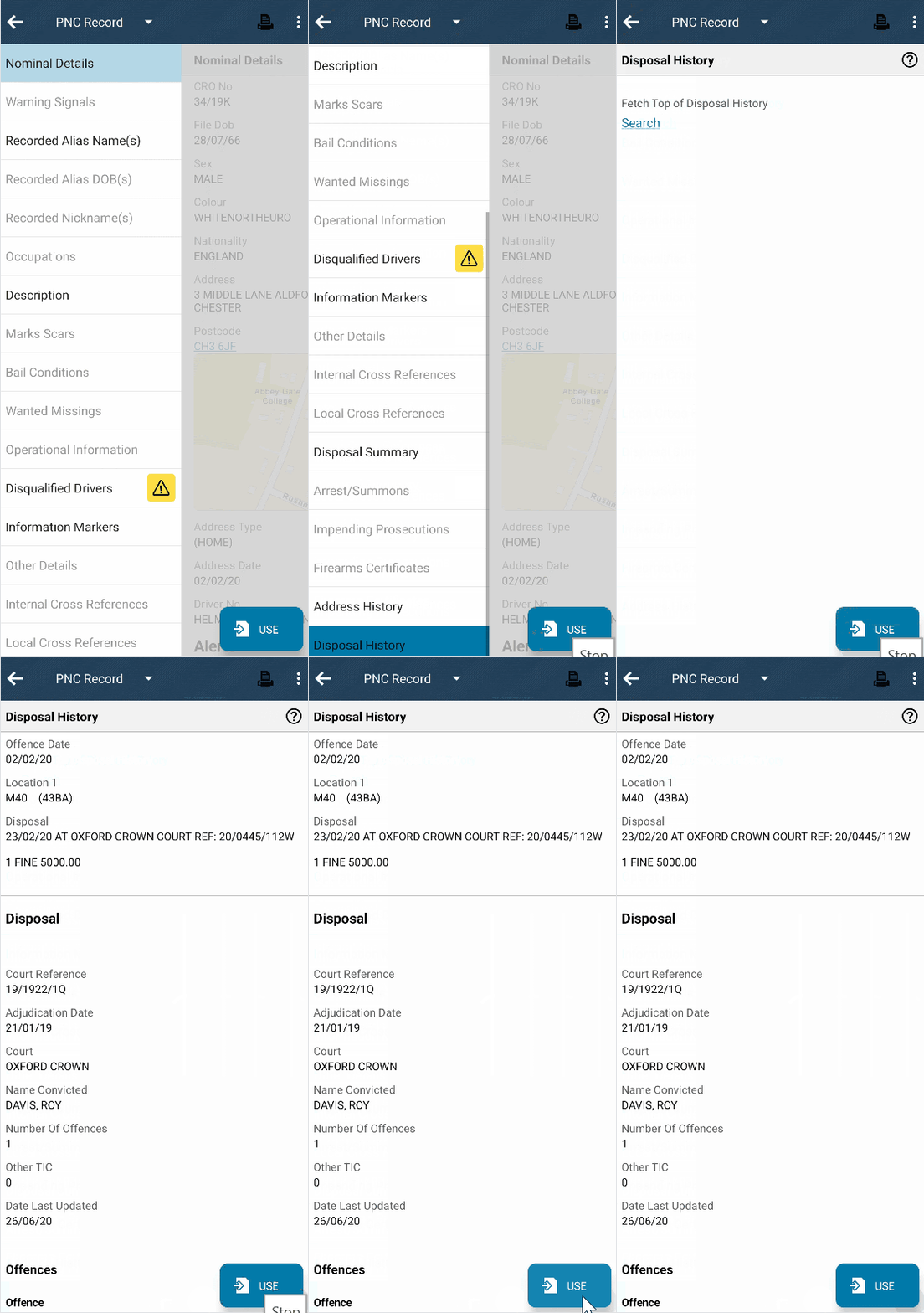
We’re giving you the power to defer specific PNC chapters until you manually search for them. This change standardizes our PNC offering across both Standard interface Replacement Group (SRG) suppliers and delivers faster returns for larger records. By loading these chapters only when you need them, you get improved system performance while handling extensive data.
Enhanced multi-printer support
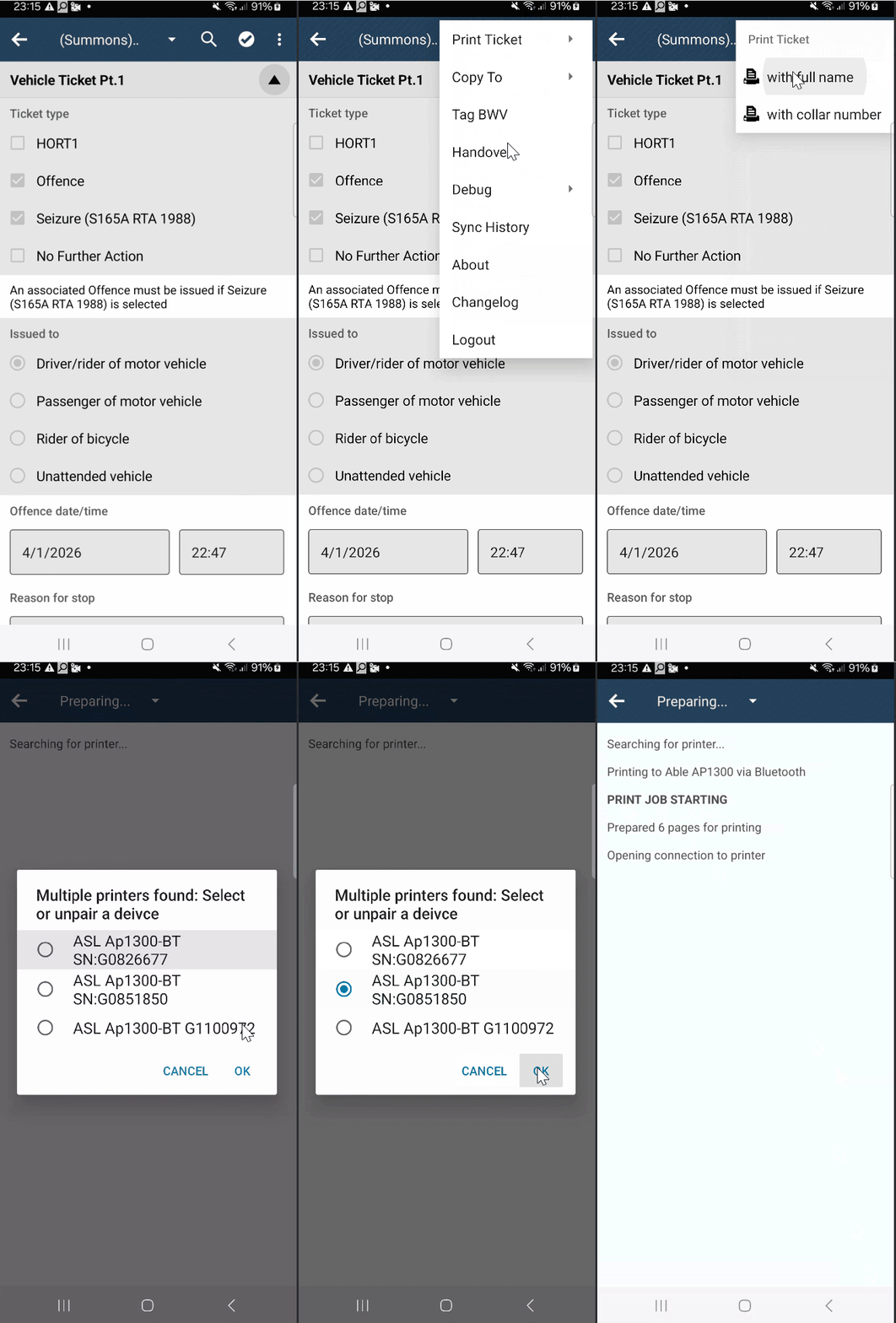
We’ve streamlined your printing experience, especially if you work with multiple devices. Pronto now gives you greater control and a smoother, faster workflow with our multi-pair printing dialog. You can easily choose exactly which printer to use. If you have more than one paired, the system automatically notifies you, making it simple to select your preferred device or manage pairings.
July 2025
MoPI Document Retention
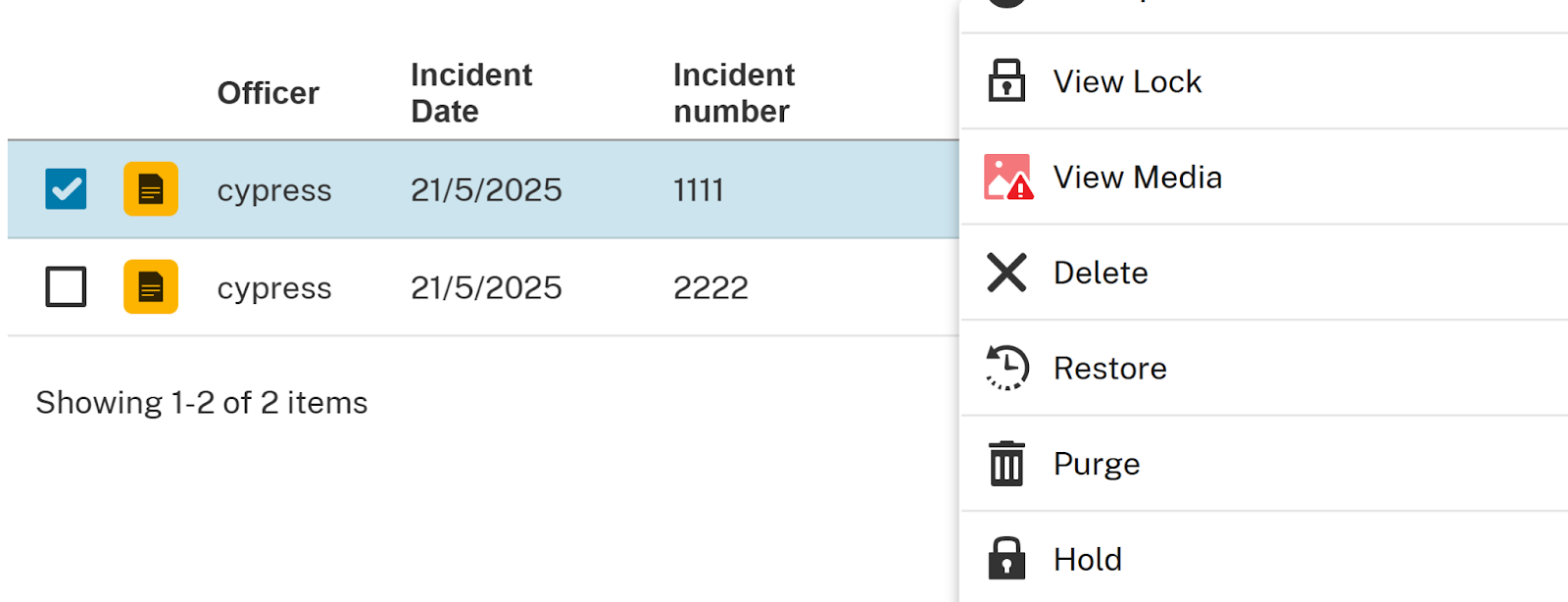
We’ve introduced the capability to set retention periods for groups of documents stored in Pronto, with automatic deletion and purging of documents retained longer than the specified period. This feature is crucial for enabling forces to manage data found in Pronto in compliance with MoPI.
Android Map Points of Interest (PoI)
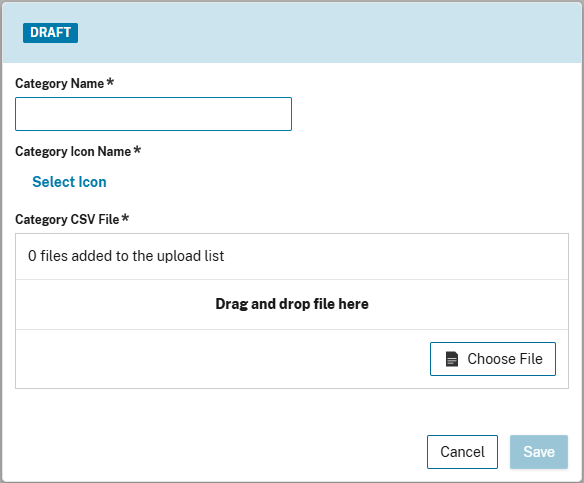
You now have the ability to add and edit Points of Interest, such as police stations, hospitals or AEDs, through Pronto Manager, making them available on officers’ Android home screen map. This ensures Pronto maps are fit for your specific needs and allows you to easily customise your Pronto experience.
Enhanced Connectivity to Body Cameras
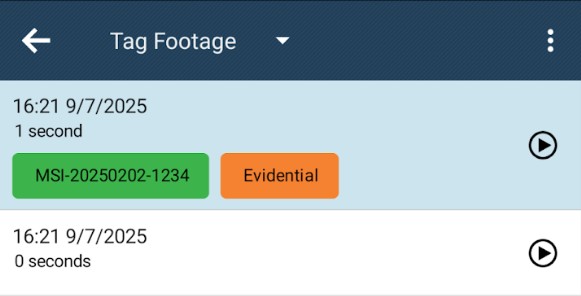
Officers can now view and tag footage taken on V500 and VB400 body cameras, via Wi-Fi connectivity, for improved performance and reliability. This enhances the metadata quality of tagged footage for better organization and evidence review.
Search Audit
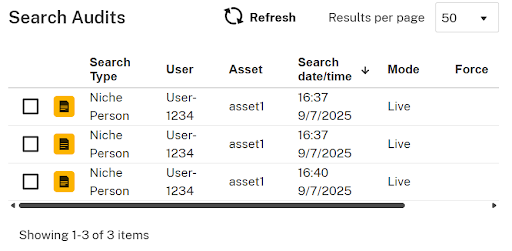
A new audit capability allows professional standards users to view what officers are searching for and what record sections they view. This applies to all search types, including CAD, RMS and PNC/LEDS. This provides departments with a better understanding of their officers’ search behaviour and identifies areas for improvement.
Android 15 Support
Pronto now targets Android 15 – ensuring Pronto can continue to run on new devices and remain up-to-date via the Google Play Store.
April 2025
Mapping Improvements

We’ve added even more information to the Pronto mobile app. Now, Pronto can take any location data from your RMS – including Niche, Connect and Unifi – and present it on the Android map. Additionally, Pronto tasks will be represented on this map, as long as they have an address associated with them (including geofence information). It’s also easier than ever to gradually switch your Force over from the legacy CAD view to this new map view, one user at a time. Finally, we’ve improved the map list view and made it easier to read.
January 2025
CAD Incidents on Homescreen Map
There are now more CAD incidents featured on the homescreen map, including assigned incidents and detailed filters, in addition to the officer’s current deployment. This provides more real-time situational awareness information for officers upfront, instead of requiring multiple button presses.
Points of Interest on Homescreen Map
We’ve added points of interest to the homescreen map, which can be customised on a per-force basis; potential locations include police stations, hospitals and AEDs.
List View for Homescreen Map
Officers can view a list of all content available on their homescreen map, in addition to the standard map UI. This enables them to see details in an easy-to-read, condensed format.
Address Suggestions on Pronto Desktop
Pronto desktop will now suggest addresses based on proximity to the user. This simplifies the entry of address information, and eliminates the need for manual gazetteer searching.