
What's new with Command Central AXS
Discover the latest CommandCentral AXS product updates.
Available as of July 2026, CommandCentral AXS 3.7 improves the startup experience for both the console hardware and software application. We built these updates based directly on your feedback. Here is a breakdown of the key features and enhancements that come with this release:
Restore configuration: Swiftly refresh the active AXS UI layout without needing to log out and back in again.
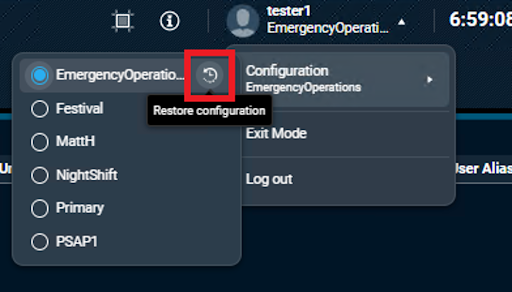
Duplex patch with two-party conference: Enable radio users to hear summed audio from two transmitting radios. You can also operate conventional analog or MDC 1200 channels in a duplex patch mode while summing audio from two transmitting radios.
To learn more about CommandCentral AXS, click here.
Don’t miss the latest features or product news! Click here to update your communication preferences.
Updated size restrictions on the Activity Log make it easier to place the log in more locations on the AXS user interface.
Radio resources can now be placed on the user interface in an expanded view. This removes the need to first open the radio resource to access the resource’s quick action button and expansion panels on the carousel. Both the compressed and expanded views can be configured independently.
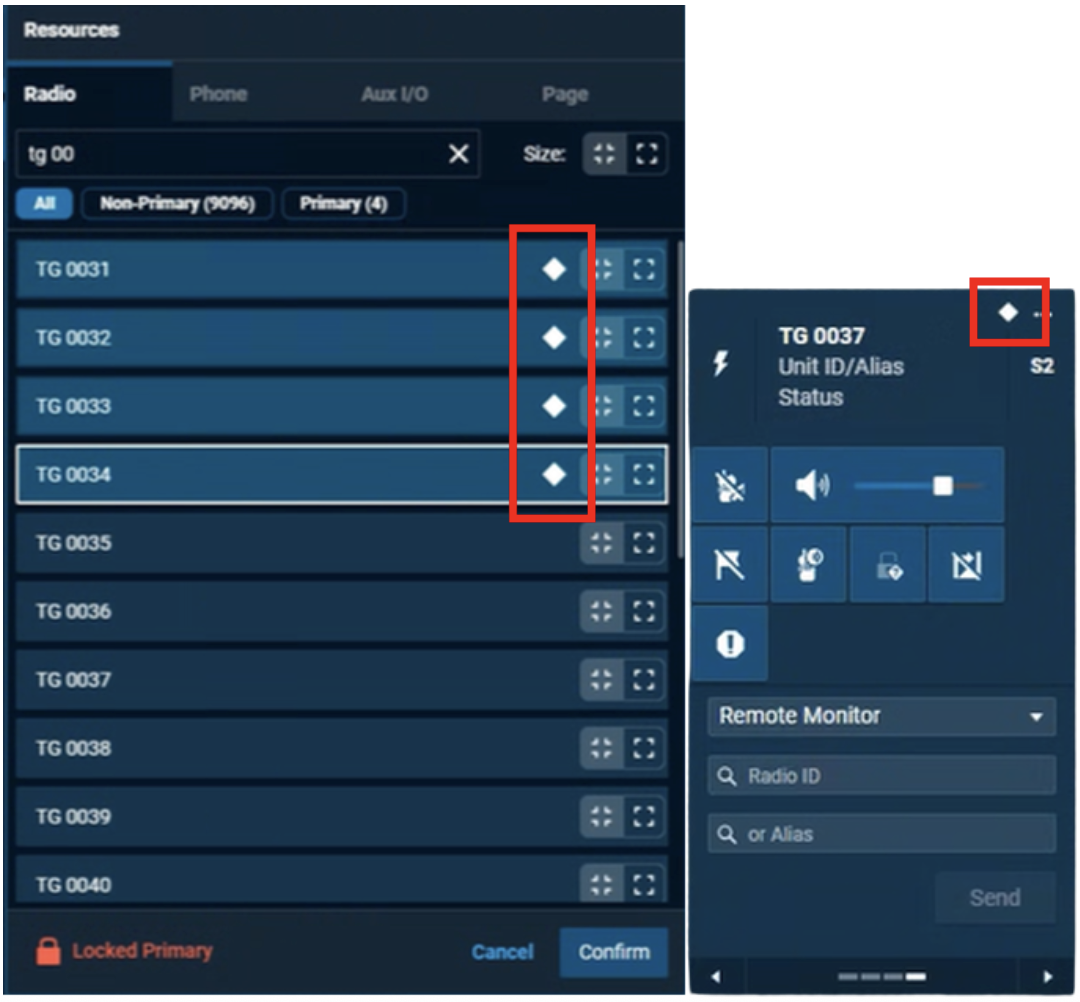
Radio resources can now be added to the primary resource group to give a higher handling priority to the dispatcher. A diamond indicates primary resources. The administrator can choose to lock the primary resource list or allow the dispatcher to edit it.
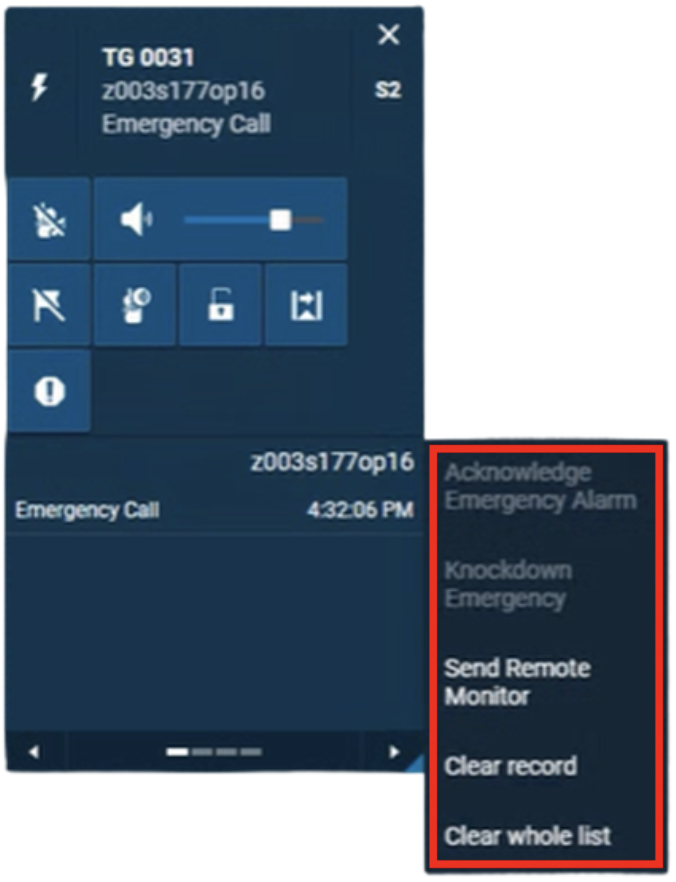
The administrator may select which of several emergency feature options are available when right-clicking on an entry in the Received Call Stack of a radio resource.
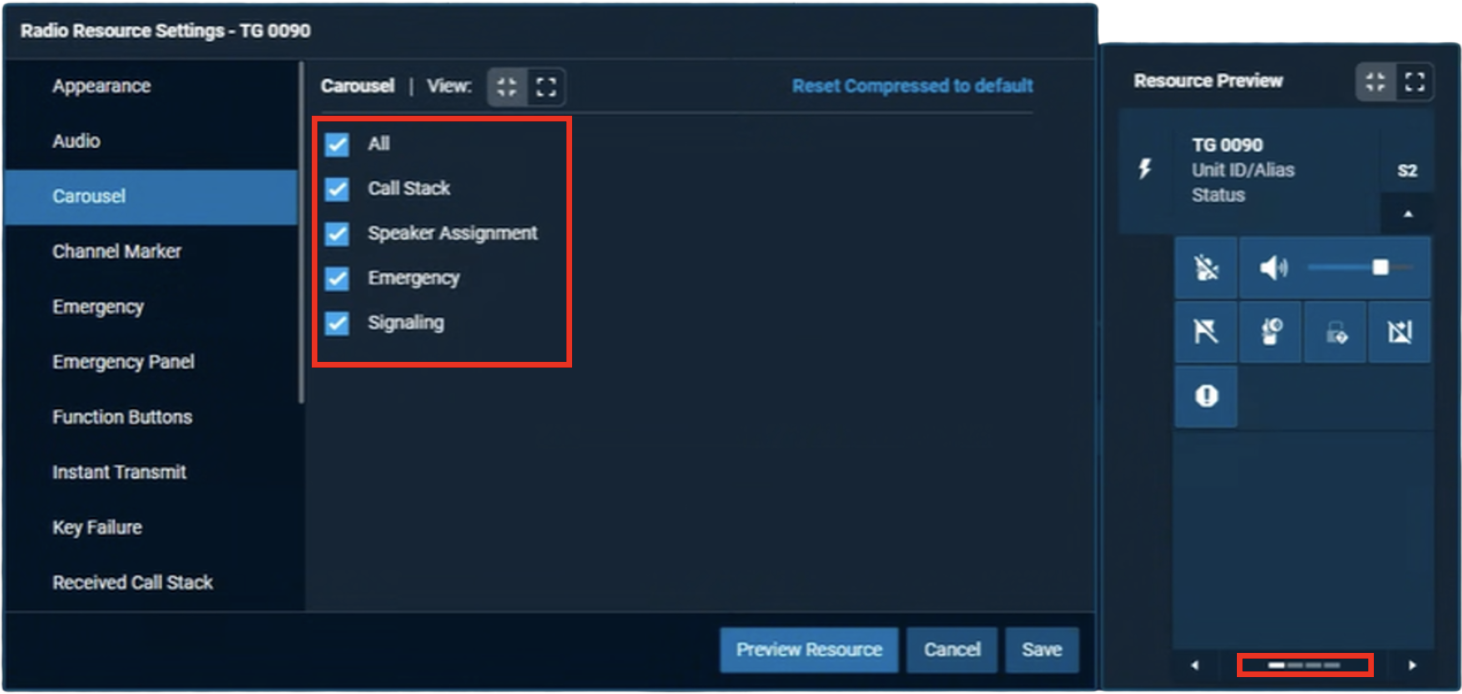
The administrator may select which expansion panels are shown to the dispatcher in the radio resource carousel. The administrator may choose to show any combination of the Received Call Stack, Speaker Assignment, Emergency Alarm and/or Signaling expansion panels.
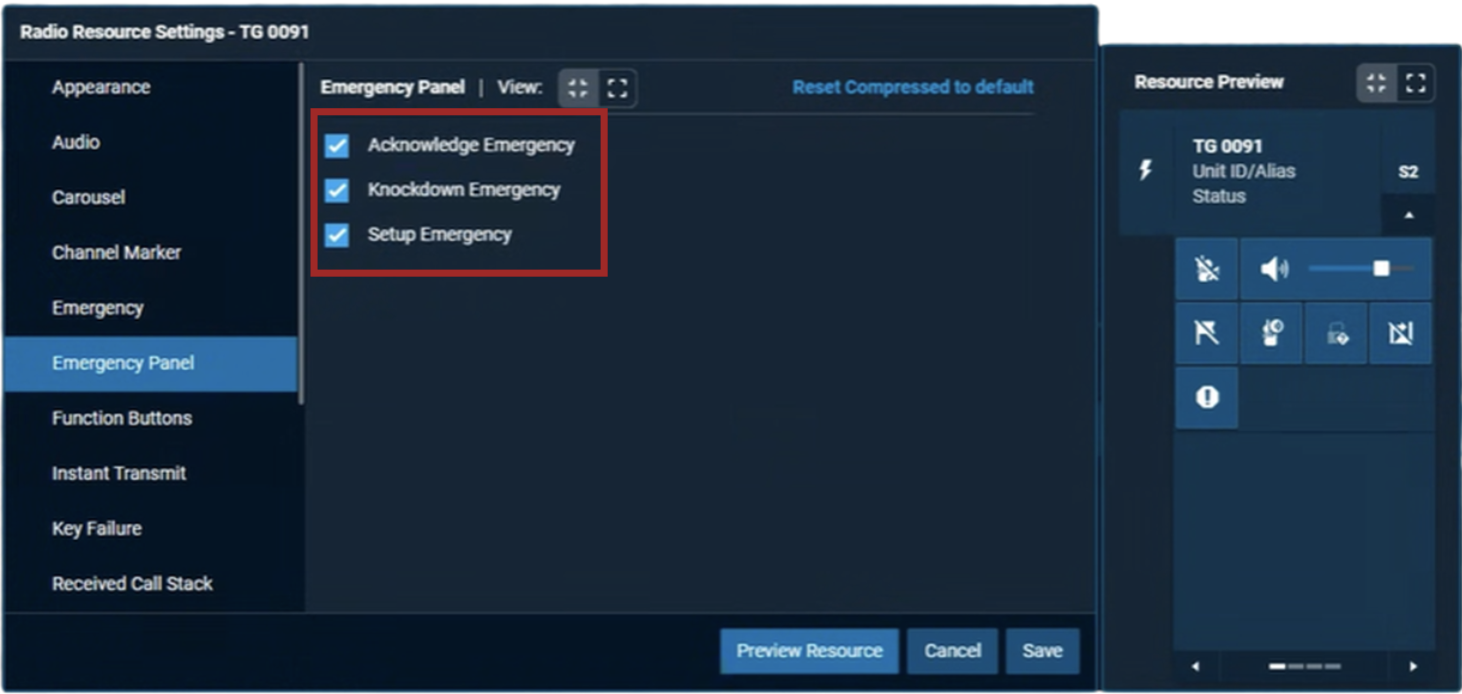
The administrator may select which panel options are available on the Emergency expansion panel for a resource. Options include Acknowledge Emergency, Knockdown Emergency and Setup Emergency.
CommandCentral AXS console can now support up to 200 unique affiliated trunking and/or conventional resources per dispatch position. This is an increase from the previous limit of 160.
CommandCentral AXS Release 3.5 enhances user experience with updated visuals and dispatcher controls while expanding support for more configurations with the ASTRO radio system.
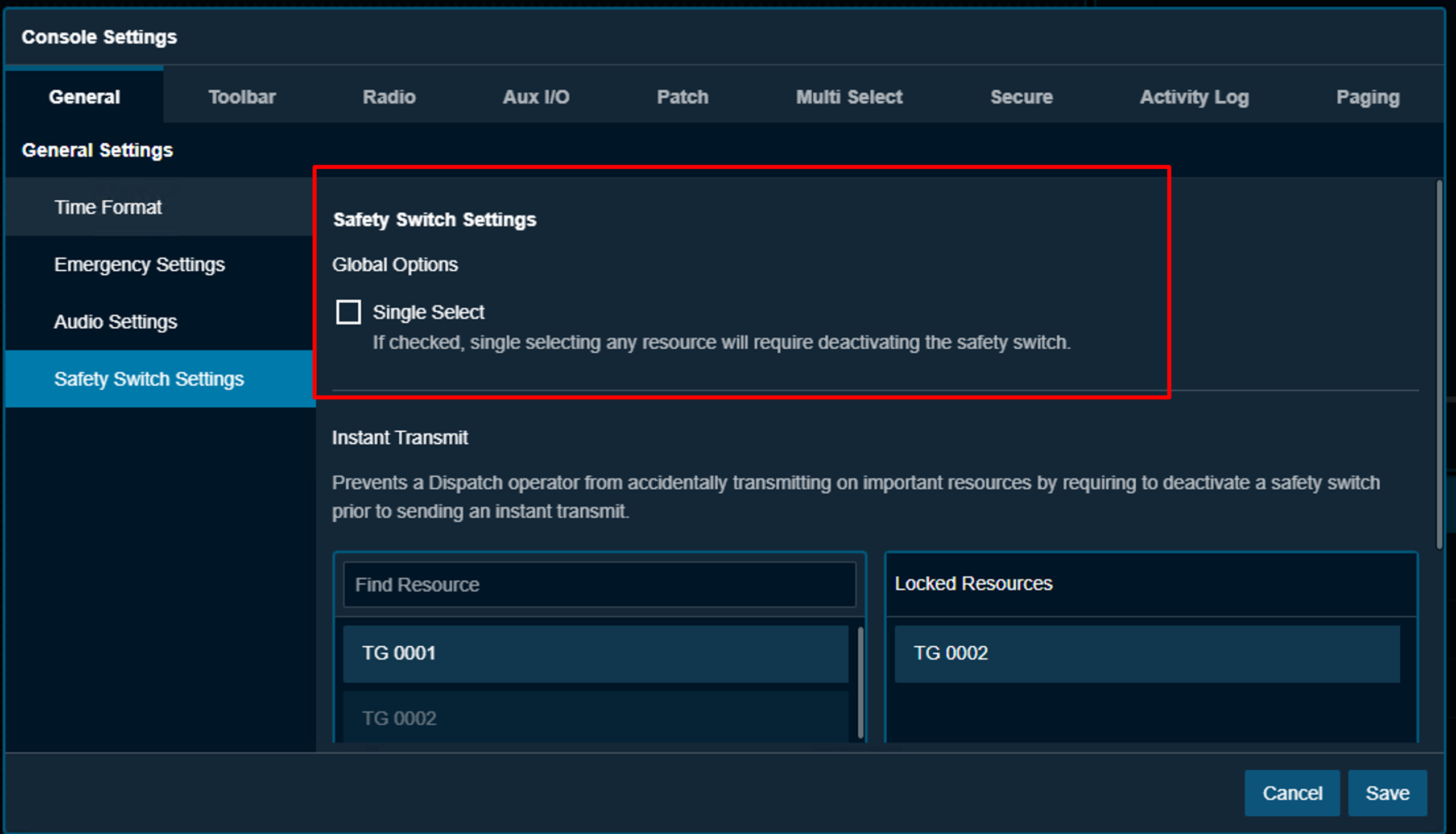
To prevent accidental selection or deselection of radio resources, the Single Select Safety Switch feature mandates that dispatchers press a “safety switch” before changing the select state of a radio resource.
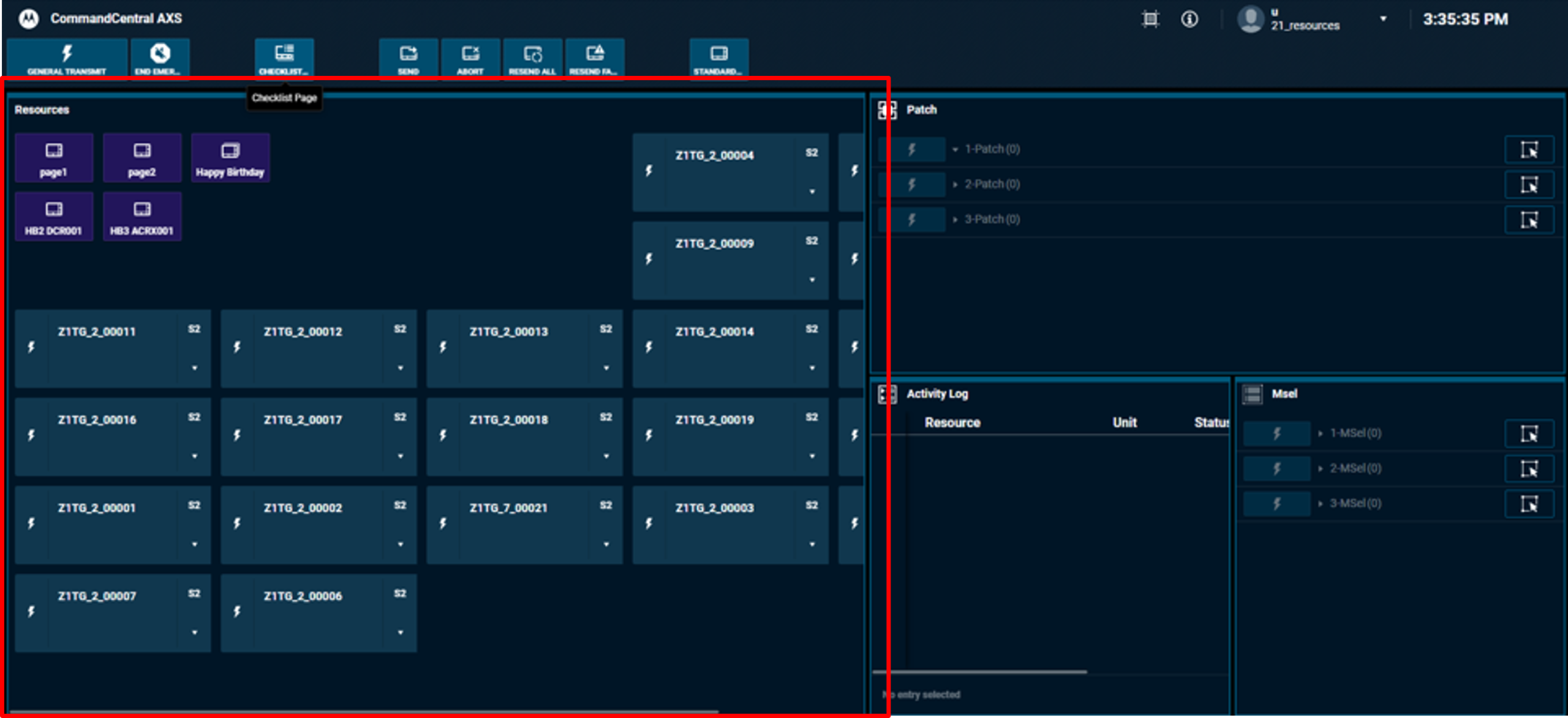
With Checklist Paging, you can initiate a page on one or more existing Quick Pages, where each Quick Page button can be for a prefigured individual page or group page.
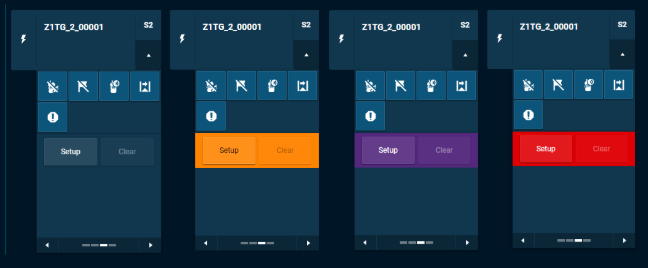
The overlay color of the Emergency Setup area on a radio resource’s expanded view is now customizable. By default, new resources will have a “transparent” setting, making the Emergency Setup area the same color as the radio resource.

A new individual resource volume control option is now available. The new options makes a volume slider and mute function readily accessible, eliminating the need to open volume chiclet to make changes.

To remove a potential dispatcher distraction, you can now disable the flashing indication on idle patch groups.
The AXS Radio Dispatch Console can now be used outside the radio network infrastructure (ORNI) using a remote connection.
The AXS Console is now supported within a Conventional Subsystem Site, also known as a CSUB.
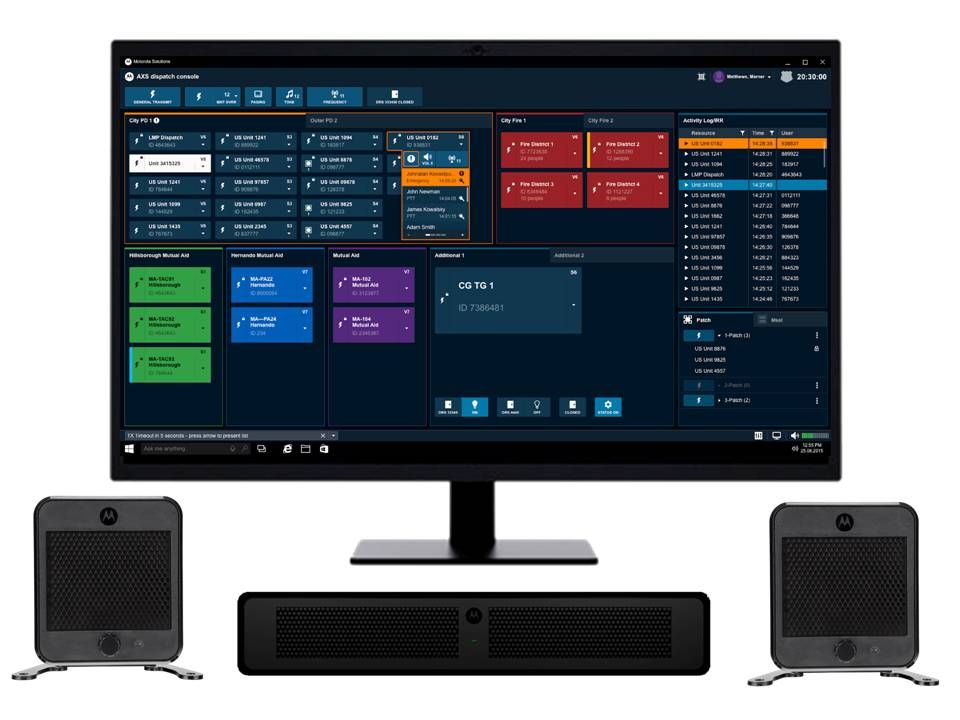
CommandCentral AXS radio dispatch console has always enabled dispatchers to fully participate in secure communications, ensuring that sensitive information remains confidential. Now, with the introduction of hardware-based encryption options, AXS supports compliance up to FIPS 140-3 Level 3. CommandCentral AXS offers best-in-class protection for both key storage and end-to-end traffic encryption.